TL;DR
- The GitHub MCP’s
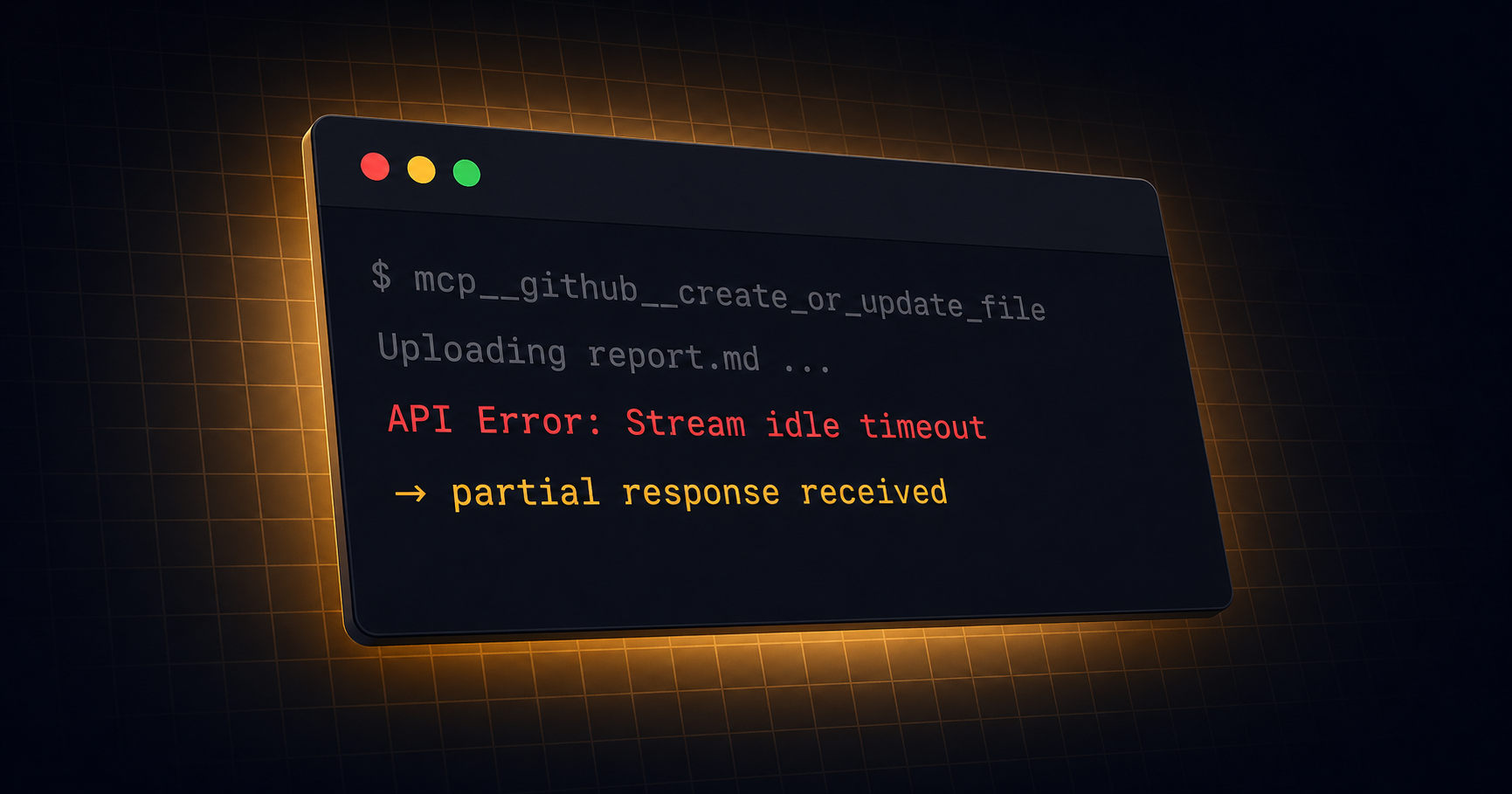
create_or_update_filetriggers a Stream idle timeout when saving large files (noticeable above ~11,500 bytes). - The sandbox is intentionally locked down, so
git pushover Bash isn’t a viable fallback. You have to solve the problem inside the MCP boundary.
Background
The information in this article reflects the state of Claude Code Routines as of April 2026. It’s still in research preview, so behavior may change.
Released in April 2026 as a research preview, Claude Code Routines runs prompts on Claude.ai automatically — triggered by schedules, API calls, or GitHub events (available on Pro / Max / Team / Enterprise plans).
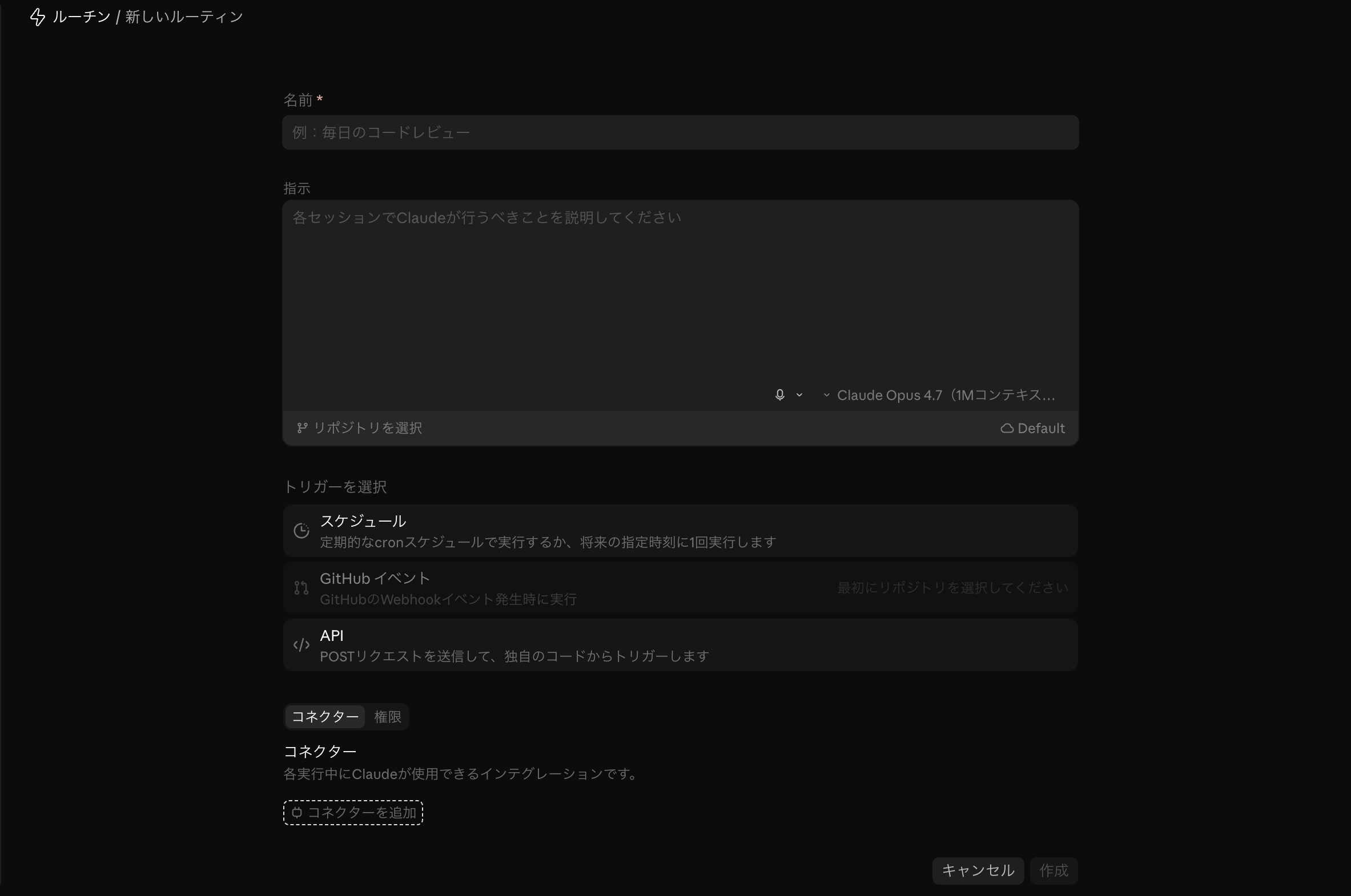
GitHub integration uses the account-level GitHub connection on Claude.ai (either via the GitHub App or a gh token sync through /web-setup). The “Connectors” section in the Routine creation form lists services like Slack and Linear, but GitHub isn’t there. Once your account is connected to GitHub, adding a repository to a Routine lets that Routine read and write files in the repo.
When a Routine commits files to a GitHub repository, in my environment it used the MCP tool mcp__github__create_or_update_file. “Auto-commit the daily output to GitHub” sounds like an obvious fit — but in practice I ran into unexpected limits with that MCP call. This post shares the actual blockers and the workarounds I landed on.
Issue 1: MCP Timeout — Large Files Won’t Save
Symptom
I tried to save a Routine-generated report (~30KB Markdown) via mcp__github__create_or_update_file and hit:
API Error: Stream idle timeout - partial response receivedRetrying didn’t help. Shrinking the file content made it work, so the cause was clearly file-size related.
Investigation: GitHub API limit?
My first guess was a GitHub REST API file size limit. But the GitHub Contents API allows up to 100MB, so a ~30KB text file shouldn’t be anywhere near the cap.
GitHub Contents API: 100MB max file size
Actual file: ~30KB
→ Not the API's limit
Investigation: Claude.ai platform timeout?
Next guess: a timeout on the Claude.ai side of the MCP call.
Claude Code CLI exposes an MCP_TIMEOUT env var, but that mostly governs MCP server startup — it’s unclear whether it controls per-tool-call timeouts. Either way, the Routines cloud runtime gives users no way to set this value.
Findings
Given the error message (Stream idle timeout) and its correlation with file size, the most likely cause is a per-MCP-tool-call timeout.
create_or_update_fileBase64-encodes the content and ships it to the GitHub API.- Larger payloads take longer to process; the response likely doesn’t arrive before the call times out.
- There’s no user-facing way to adjust per-tool MCP timeouts.
- In my measurements, calls under ~11,500 bytes were stable; from ~13,000–15,000 bytes upward, timeouts kicked in.
Approximate threshold from my own runs:
| File size | Result |
|---|---|
| ~5,000 bytes | Stable success |
| ~8,500 bytes | Stable success |
| ~11,500 bytes | Success (near the ceiling) |
| ~15,000+ bytes | Timeout |
Note: These thresholds shift based on network conditions and server load. As a practical safety margin, keeping each file under 10,000 bytes worked reliably for me.
Can git push over Bash help?
I also checked whether I could bypass the MCP tool by saving files via Bash. Routines have a code execution capability, so a git push from a shell sounded plausible.
But inspecting the sandbox: no GITHUB_TOKEN, no GH_TOKEN env var, no gh CLI, no SSH keys, no ~/.netrc. There’s simply no GitHub auth surface inside the shell.
This is the right design from a security standpoint. Anthropic’s docs explicitly state that git credentials and signing keys are not placed inside the sandbox; GitHub operations are routed through a secure proxy with scoped credentials. By keeping raw git push credentials away from the LLM, the risk of unintended repo operations is contained.
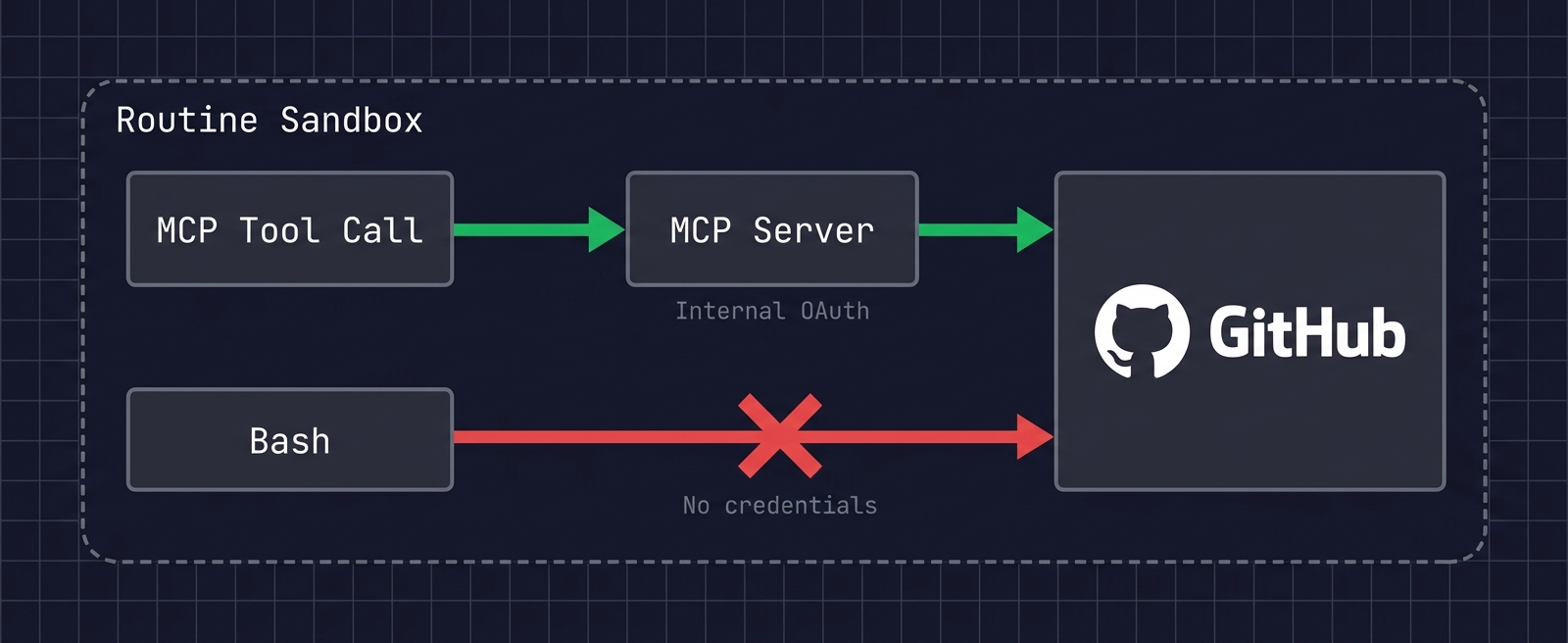
So Bash-based git push is not available as a fallback for the timeout issue. You have to solve it inside the MCP boundary.
Workarounds
Avoiding the Timeout: Chunked File Saves
To work around the MCP timeout, the approach I settled on is splitting content into chunks of <= 10,000 bytes and saving each piece.
Splitting rules in the prompt
I encode the splitting rules directly into the Routine’s prompt:
### File size limit and save procedure

Due to MCP timeout limits, a single `create_or_update_file` call can save
**up to ~10,000 bytes** of content.

If the output exceeds 10,000 bytes:
1. Split the content into sections (each part <= 10,000 bytes).
2. Call `create_or_update_file` for Part 1.
3. Wait for success, then save Part 2 (no parallel calls).
4. After all parts are saved, append links to each part at the end of Part 1.

If a timeout occurs:
→ Split into smaller chunks and retry (target <= 8,000 bytes per part).
The key is to explicitly forbid parallel calls. LLMs love to parallelize tool calls for efficiency, but here that’s counterproductive.
For navigation between parts, appending a link list to Part 1 makes the report much easier to browse on GitHub. To update Part 1 later, pass the SHA returned in Part 1’s creation response back into create_or_update_file.
Trade-offs of chunked saves
This approach has clear downsides.
- Worse readability on GitHub: One report becomes multiple files; readers have to jump between them.
- More API calls: A 3-way split needs at least 3 MCP calls (+1 to append the link list). Routine execution time grows.
- More complex prompt: Splitting logic clutters the prompt with concerns unrelated to the actual task.
I still chose this approach because nothing else was practical. Bash-based git push is blocked by the sandbox design, and per-tool-call timeouts can’t be tuned. By elimination, file splitting was the most reliable workaround.
Side note: Watch out for timezone drift
It’s no surprise that the cloud runtime is UTC, but because Routine schedules are configured in JST, it’s easy to assume internal date logic will also be JST.
In practice, when an LLM determines “today’s date,” it sometimes uses UTC. Run at JST 4/25 07:00 — that’s UTC 4/24 22:00, so date-based file names and commit messages can land on the previous day.
A timezone directive at the top of the prompt prevents this:
**⚠️ Timezone: All date/time logic must use JST (UTC+9).**
Dates, weekday checks, file names, and commit messages all use JST.
If the runtime is UTC, add 9 hours before deciding.
Summary
The main limits I hit when using the GitHub MCP from Claude Code Routines:
| Issue | Cause | Workaround |
|---|---|---|
| Large files fail to save | Per-MCP-tool-call timeout | Split into chunks <= 10,000 bytes |
Bash-based git push unusable | Sandbox security design | Stay within the MCP boundary |
| Date/weekday drift | Runtime is UTC | Force JST in the prompt |
Given that Claude Code Routines is still in research preview, these limits will likely improve over time. In particular, exposing per-tool MCP timeouts as a configurable value would close the most painful gap, and is plausible if enough users surface the need.
For now, the most practical approach is to understand the limits and work around them at the prompt level. Hopefully this saves someone hitting the same wall.
References
- Claude Code Docs — Routines
- Claude Code Docs — MCP
- Claude Code Docs — Environment Variables
- Anthropic Engineering — Claude Code Sandboxing