TL;DR
- I built Query Expander, a tool that expands LLM prompts into clearer, more explicit instructions.
- It runs as a Claude Artifact, so it’s available any time you’re logged into Claude.
- Three detail levels (Concise / Standard / Detailed) let you tune the output.
- It auto-detects the input language (Japanese / English) and matches the output to it.
Updated February 2026: Bumped to v1.1.1. Fixes a bug where the copy button didn’t work.
Why I Built It
When I ask Claude Code to investigate or implement something, the precision of the answer scales with how clear the request is.
In RAG, turning a user’s vague query into something search-friendly is called “Query Expansion.” I wanted to apply the same idea to LLM prompts in general.
I used to keep a set of expansion rules configured in Claude itself. A vague request like “look into X” got rewritten into a clear prompt that included the goal, the scope, and the expected output format.
The catch: I was doing this constantly. It came up so often during work that opening a chat every single time started to feel like friction.
So I packaged it as a standalone Claude Artifact. As long as you’re logged into Claude, you can use it — no more context switching to expand a prompt. It runs inside your own plan, so you don’t have to worry about API token usage either.
For the UI design, I used Google’s Stitch. It generates UI from prompts, which makes it fast to put together a base design.
What Query Expander Is
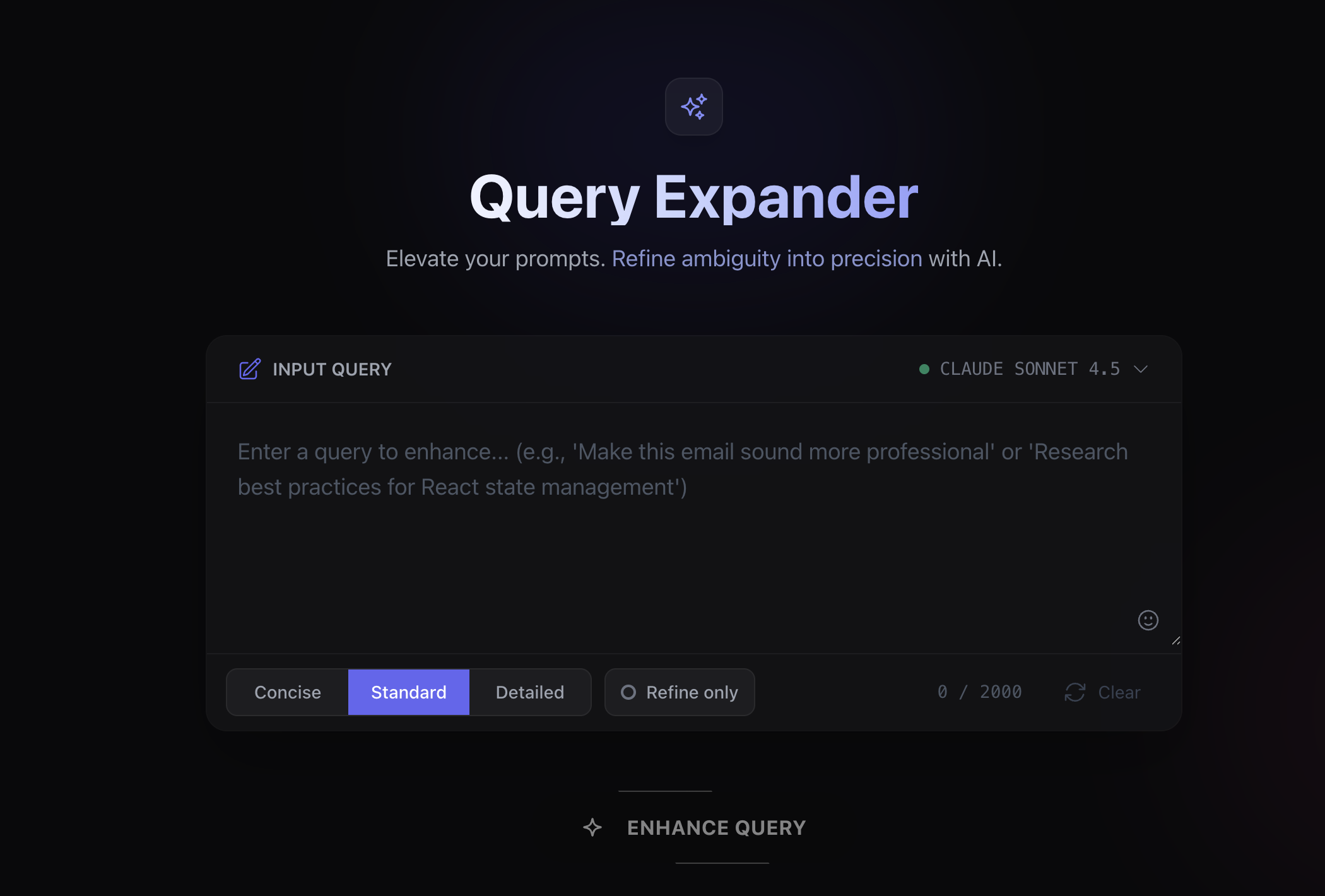
Query Expander is a tool that turns vague prompts into clear, structured ones.
Main features:
- Three detail levels: Concise / Standard / Detailed
- Refine Only mode: Polish the wording while keeping the original structure
- Automatic language detection: Japanese in, Japanese out; English in, English out
- Markdown preserved: Headings and list structure survive the expansion
How to Use It
- Paste the prompt you want to expand into the text area.
- Pick a detail level (Concise / Standard / Detailed).
- Click “ENHANCE QUERY”.
- Copy the expanded prompt and use it.
Choosing a Detail Level
| Level | Output Size | Use Case |
|---|---|---|
| Concise | 1–2 sentences | Minor tweaks, typo fixes |
| Standard | 2–4 sentences | General prompt improvement (default) |
| Detailed | 3–5 items | Complex tasks, when detailed instructions are needed |
Refine Only Mode
The default mode expands the prompt. Refine Only mode keeps the original structure and just polishes it.
Difference from the default mode:
| Mode | Behavior |
|---|---|
| Default | Adds purpose, scope, format, etc. to expand the prompt |
| Refine Only | Keeps the original structure, refines the wording |
When Refine Only is the right fit:
- You already have a structured prompt and just want to sharpen the wording.
- You don’t want the original format touched.
- You only want a tone adjustment (casual → formal, etc.).
Example
Input:
Reactのstate管理について調べてStandard output (illustrative):
Reactにおけるstate管理の主要なアプローチについて調査してください。
対象として、useState、useReducer、Context API、および外部ライブラリ(Redux、Zustand、Jotai等)を含めてください。
それぞれの特徴、適切なユースケース、パフォーマンス面での考慮点を比較形式でまとめてください。
A vague “look into it” turns into a clear prompt with purpose, scope, and expected format.
Links
- Query Expander — link to the Claude Artifact
- Documentation — detailed usage
Wrap-up
Tightening up your prompts is unglamorous work, but it directly affects LLM output quality. Query Expander makes that step quick.
It’s free to use as long as you’re logged into Claude. If you use LLMs day to day, give it a try.